Hollow Letters and Doodles Around Any Name
A name in outline letters, ready for crayons.
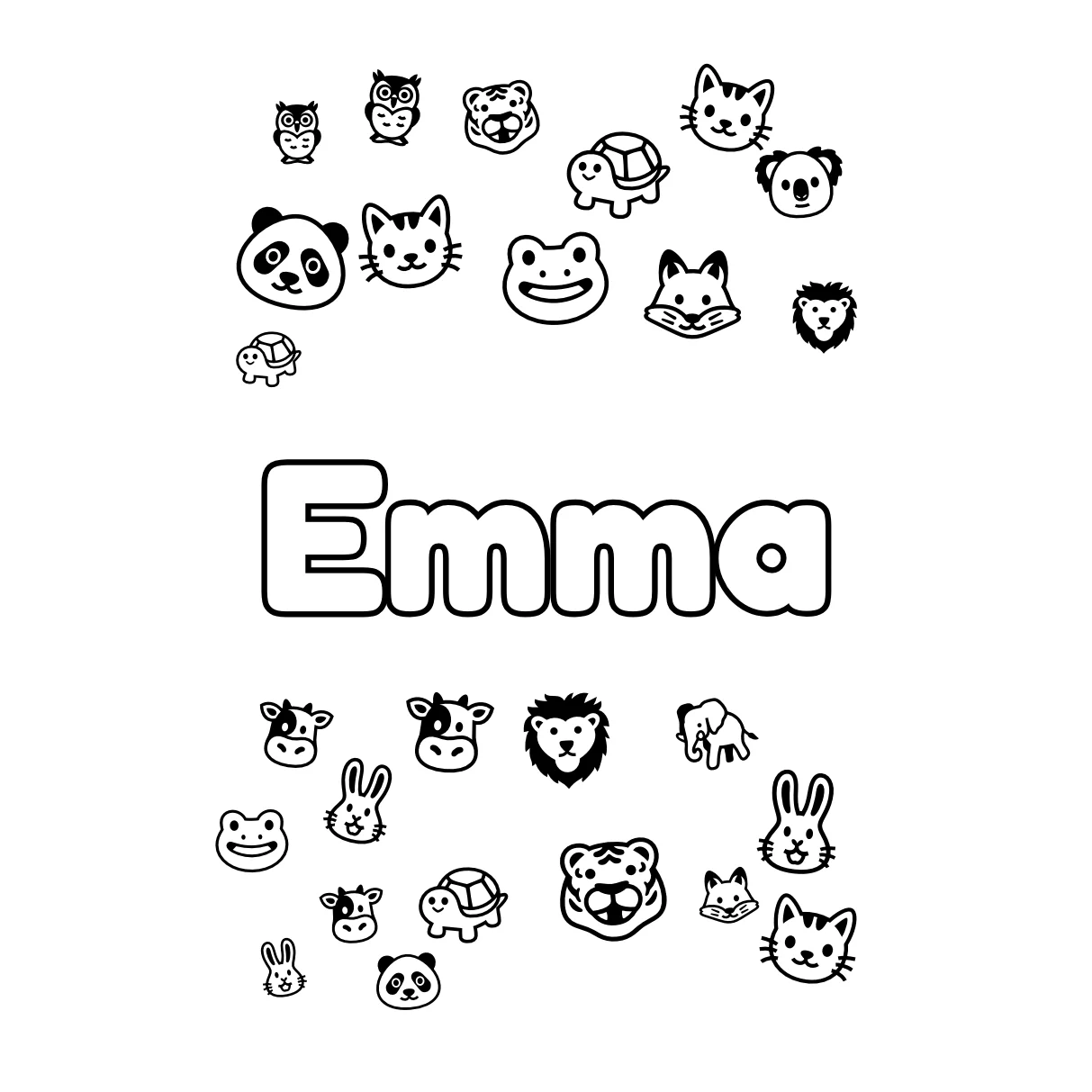
This tool turns a name into a printable page. The letters are hollow, so there is room to color them in, and small line drawings fill the space around them.
Pick one of four letter styles: Bubble Letters, Puffy Bubbles, Bold Block or Double Outline. Pick one of nine doodle themes: Cute Animals, Flower Garden, Dinosaurs, Outer Space, Ocean Life, Sweet Treats, Things That Go, Hearts & Stars or Party Time. Or choose no background at all. A slider sets the letter size, and the preview redraws as you type, so there is no generate button to wait for.
The page is drawn in your browser, so the name is never uploaded. These name coloring pages do not use the free image allowance of the AI tools on this site, which means you can try as many names, fonts and themes as you like.
Made for
- Parents
- Teachers
- Party hosts
- Kids
- Crafters
How to Make Name Coloring Pages in Three Steps
- 1
Type the name
Enter a name, or up to five lines of up to 24 characters each. Accented Latin letters such as Zoë or González work.
- 2
Choose font, size and doodles
Pick a letter style and a doodle theme, drag the size slider and press Shuffle Doodles until the layout looks right. Choose A4 or Letter paper to match your printer. The preview shows exactly what will print.
- 3
Download and print
Download PDF gives a one-page file that fills the paper. Download PNG saves a 300 dpi image, 2480 by 3508 pixels on A4. Print on plain paper; thicker paper holds up better under markers. Online Coloring opens the page in a canvas where you fill the letters and doodles with color and download the result as a PNG or PDF.
Personalized Name Coloring Pages for Every Occasion
Birthday party favors
Print one page per guest with their name on it. Each child colors it during the party and takes it home, so it works as a favor and an activity in one.
First day of school
Teachers can print a page per student to label cubbies, folders or desks on day one. Bold Block gives thick, easy-to-fill letters for small hands.
Quiet time at home
A child colors the letters of their own name and sees how it is spelled, one letter at a time. It is a calm, screen-free break that needs only paper and crayons.
Gifts and cards
Put a friend's name on a page with their favorite theme, such as Dinosaurs or Sweet Treats, and hand it over with a box of crayons.
Door signs and wall art
Print a name with the Double Outline font for a bedroom door sign, then color it in. Use Letter or A4, whichever your printer holds.
Messages and phrases
Use the extra lines for a short message such as Happy Birthday! under the name, for a card children fill in themselves.